Connect GradeTheBid To ChatGPT. Ask ChatGPT about your proposals, grades, and deadlines in plain words.
ChatGPT can read your GradeTheBid work once you connect it. It cannot change anything, run a grade, or use up your proposals.
Check your plan first. OpenAI lists custom connections for Business, Enterprise, and Edu, and says Pro users can connect with read permissions. Plus and Free are not on OpenAI's list. On Business, an admin or owner adds it. Set this up on the web, not the phone.
ChatGPT moves its menus from time to time. These steps were checked November 1, 2026.
Step 1: Copy Your Address
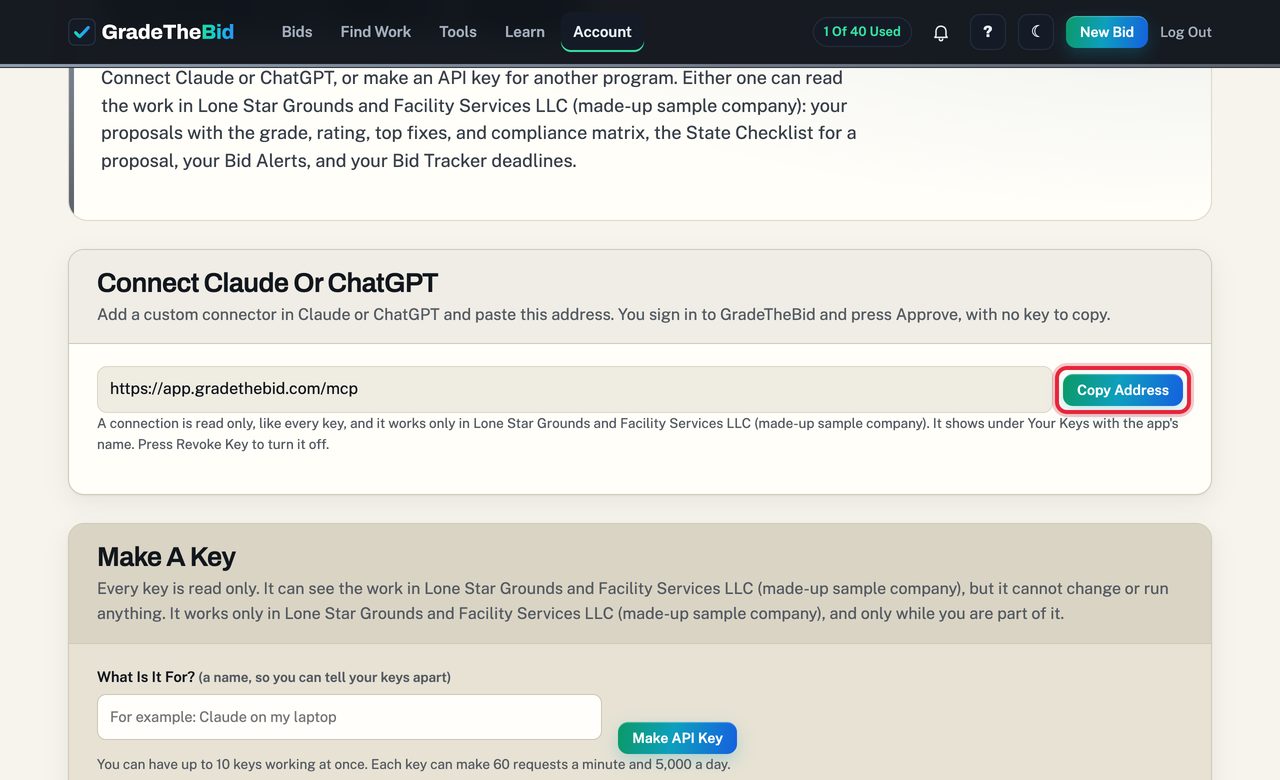
In GradeTheBid, open Account, open Settings, and press Connect Other Apps. Press Copy Address.
Step 2: Add It In ChatGPT
Go to Plugins in ChatGPT. Select the plus button, then Add Custom MCP Server.
Type GradeTheBid for the name. Paste your address under Connection. Set authentication to OAuth.
Read the risk warning, tick I Understand And Want To Continue, and select Create As A Plugin.
Older accounts may show Settings, then Apps, then Create instead.
Step 3: Sign In And Press Approve
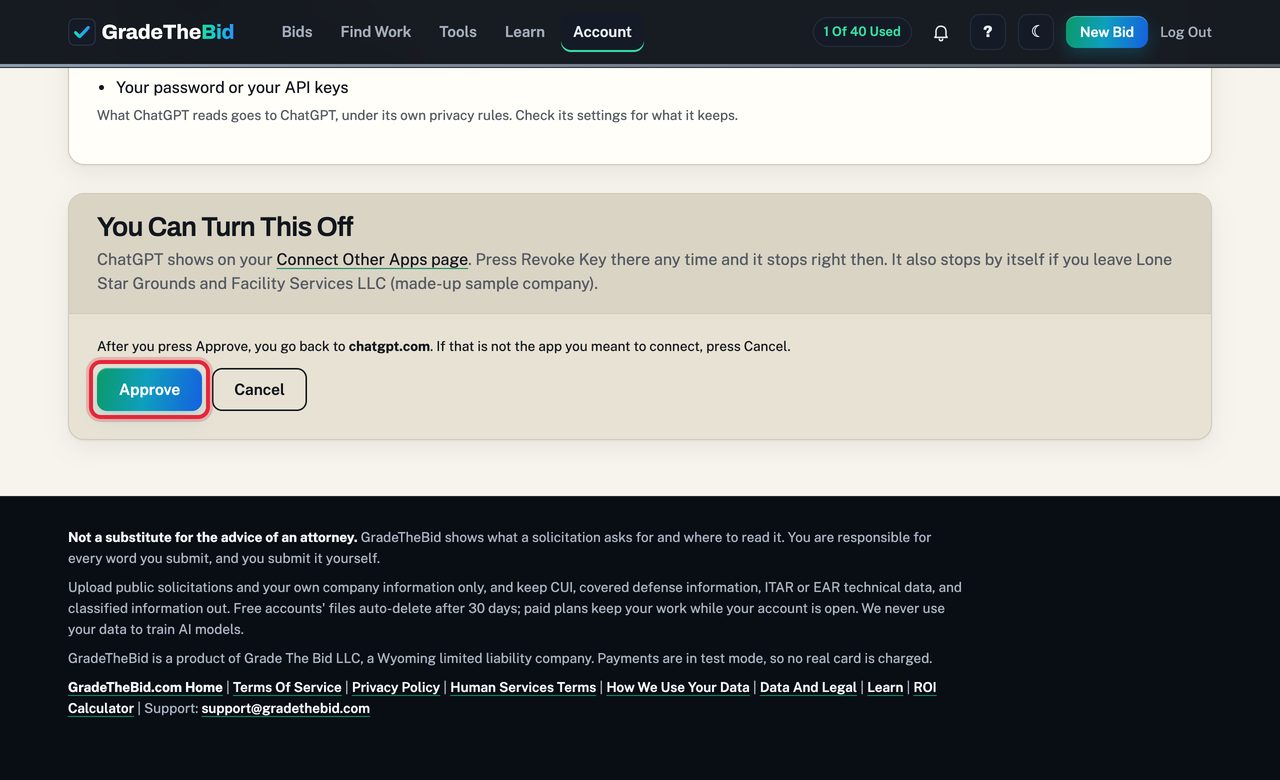
ChatGPT opens GradeTheBid. Log in, read what it can and cannot see, and press Approve. Then install the plugin.
Step 4: Ask ChatGPT
Start a new chat, type @, pick GradeTheBid, and ask: "What bids are due this week in GradeTheBid?"
Turn It Off Any Time
Open Connect Other Apps in GradeTheBid and press Revoke Key next to ChatGPT. It stops right then.
What ChatGPT reads goes to ChatGPT, under OpenAI's own privacy rules. It never sees your uploaded files, your drafts, your Company Profile text, or your password.