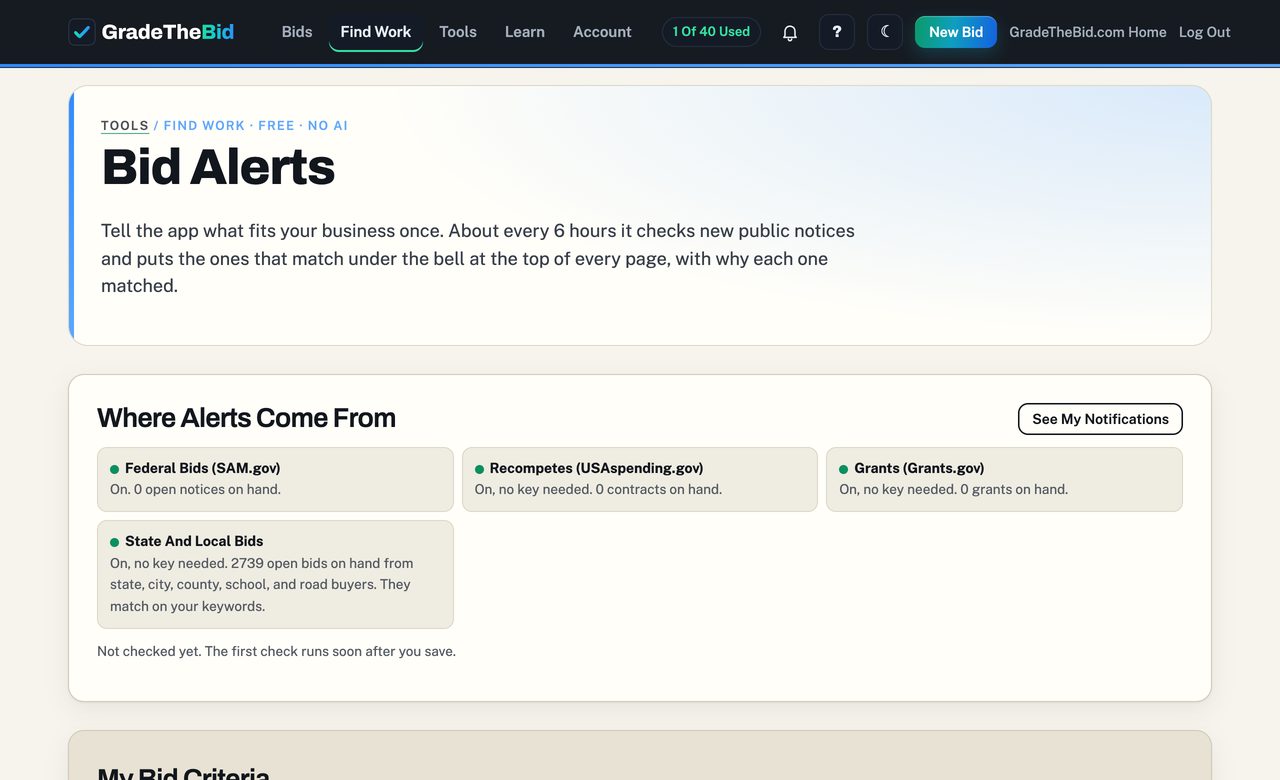
My Searches And Bid Alerts. Save your words and codes once, then run them with one click and get told about new matches.
Step 1: Run A Search You Like
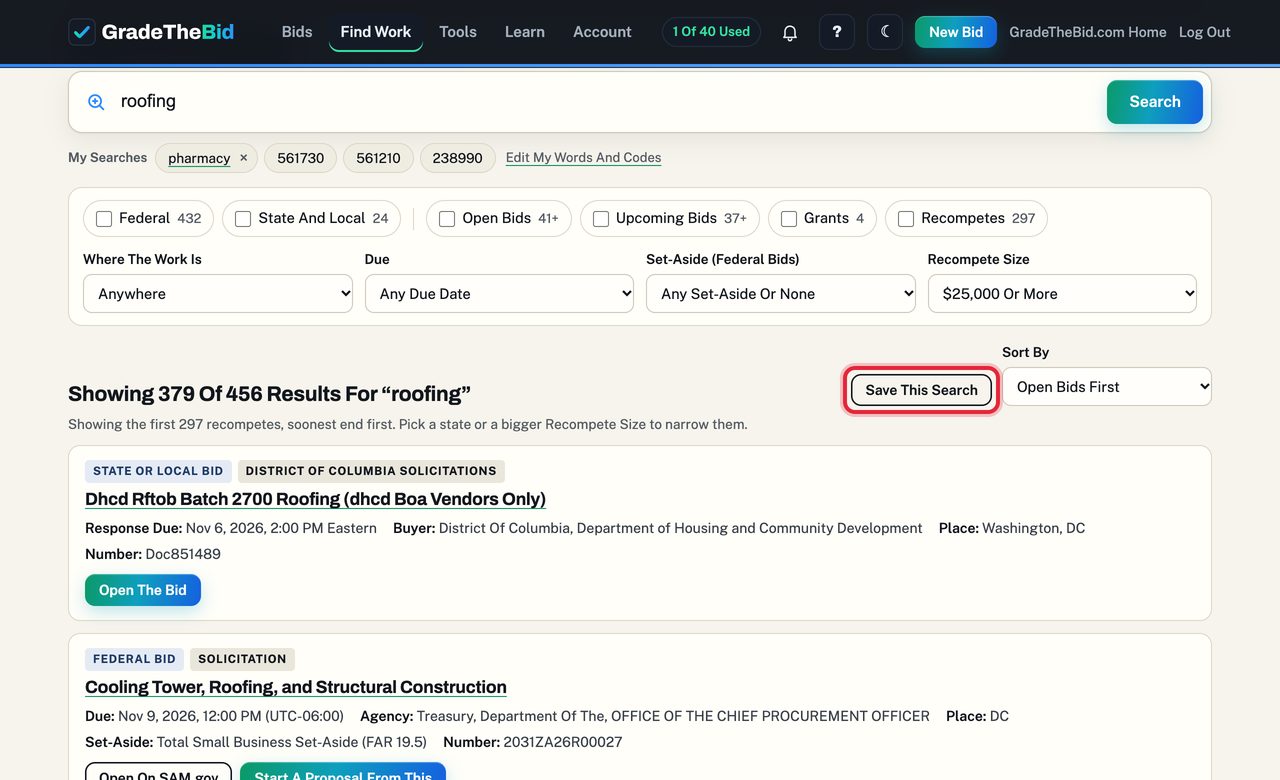
Search on Find Work, then press Save This Search.
Step 2: Use My Searches
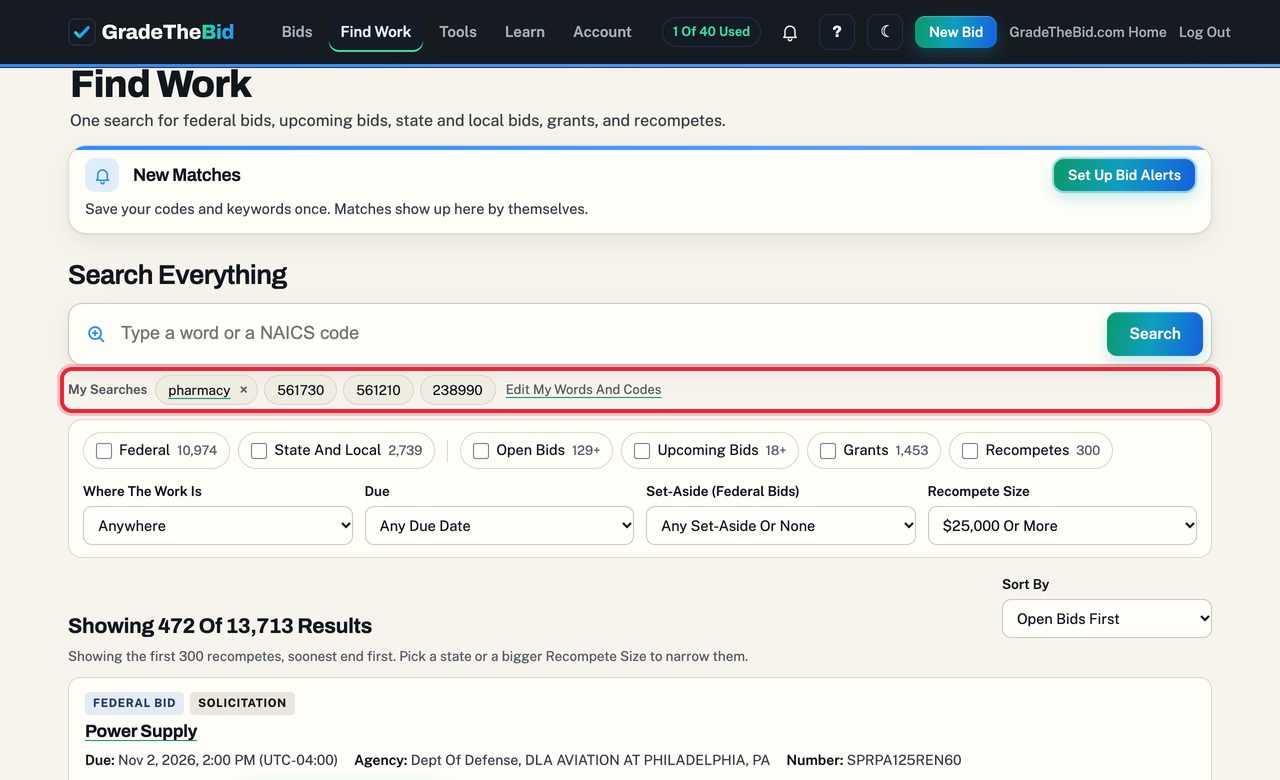
Your saved search now sits under the box in My Searches, next to your Bid Alerts words and your Company Profile codes. One click runs it. Opening a saved search marks what is new since last time. The × deletes it.
Step 3: Set Up Bid Alerts
Press Edit My Words And Codes, or Set Up Bid Alerts at the top of Find Work. Save your NAICS codes, keywords, the set-asides that are true for you, and your states. About every 6 hours the app looks for new matches and puts them under the bell at the top of the page.