Keep Your Bids Private. Who can see your bids, and how to let our team help on just one.
Other customers can never see your bids. Private is the setting every company starts with.
Step 1: Open Settings
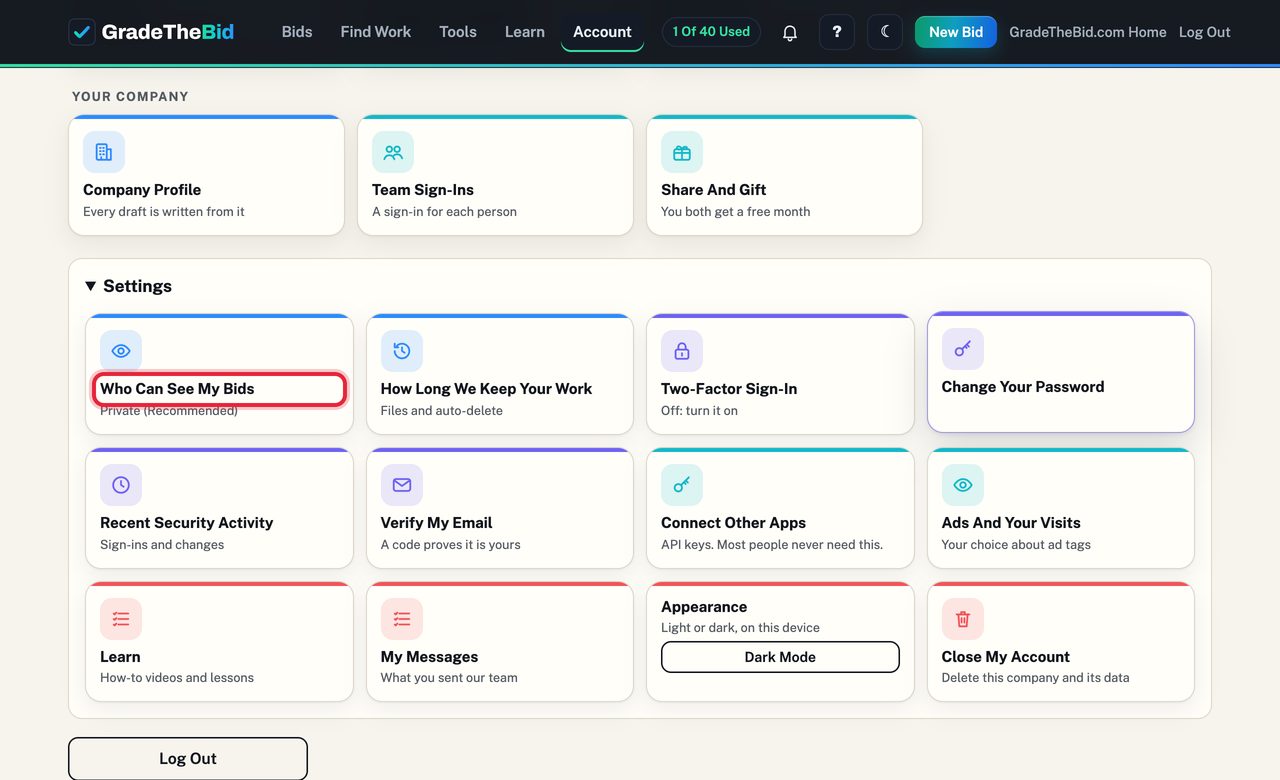
Open Account, open Settings, and press Who Can See My Bids. Only the Owner can change this.
Step 2: Pick One
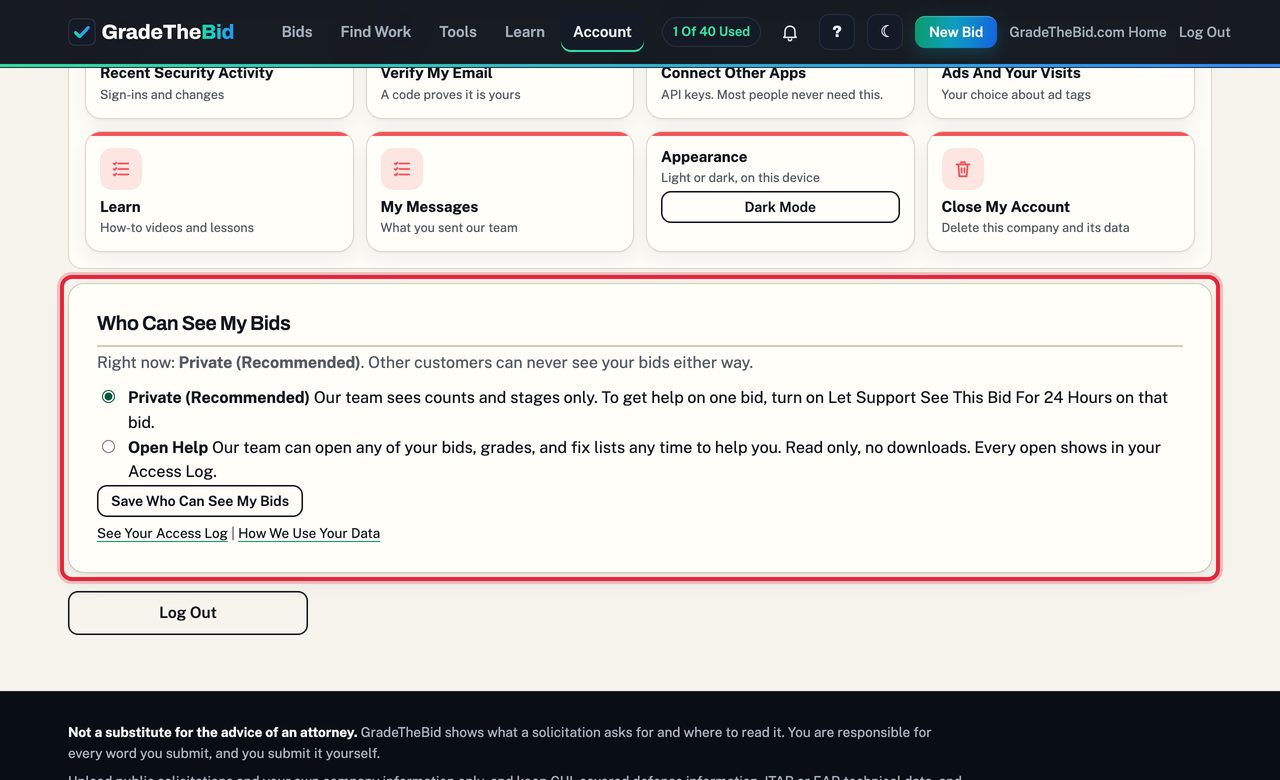
Private means our team sees counts and stages only. Open Help means our team can open your bids, grades, and fix lists to help you, read only, with no downloads. Every open shows in your Access Log.
Step 3: Need Help On One Bid?
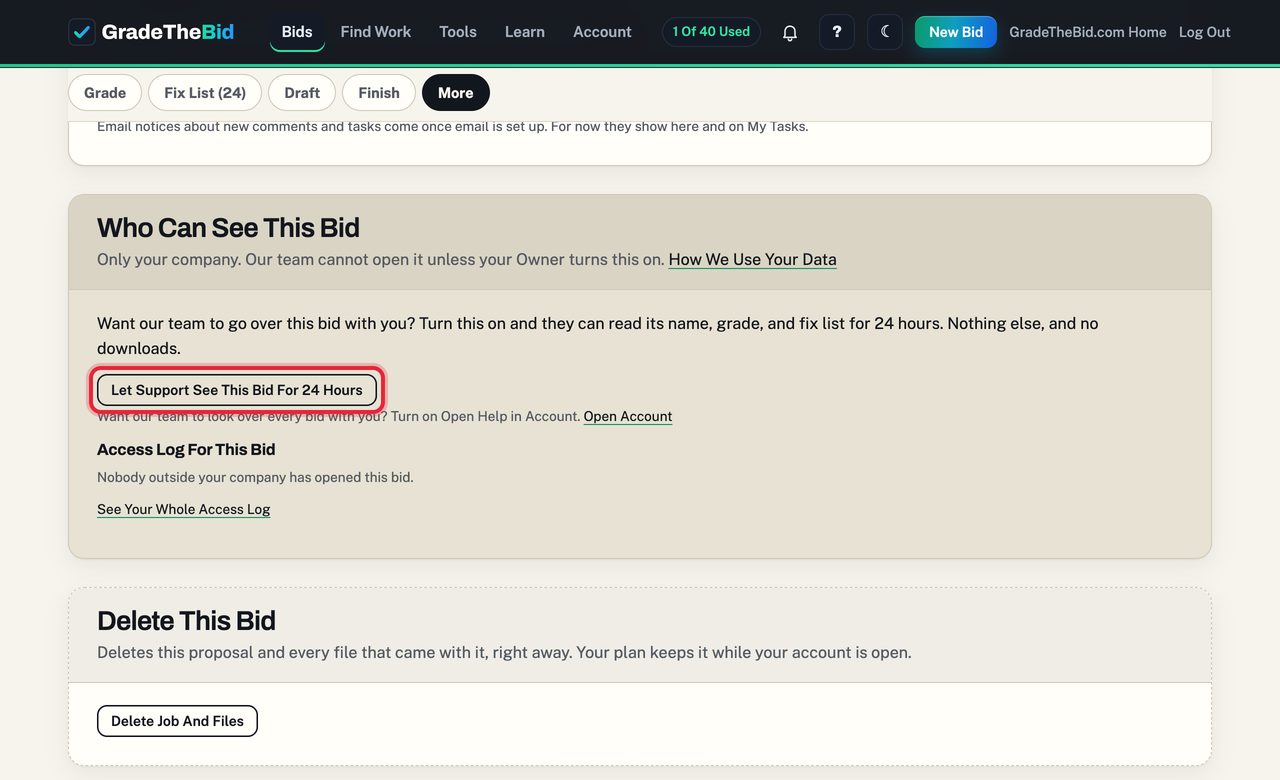
Stay Private and open that bid, go to the More tab, and press Let Support See This Bid For 24 Hours. It turns itself off after 24 hours.
See How We Use Your Data for the full story.