Start Here: Your First Bid. The whole path in order, from an empty account to a graded proposal.
GradeTheBid does five things in order: it learns your company, finds work, writes or grades your proposal, shows you what to fix, and gets you to a final package. You do each step once, and the next one gets easier.
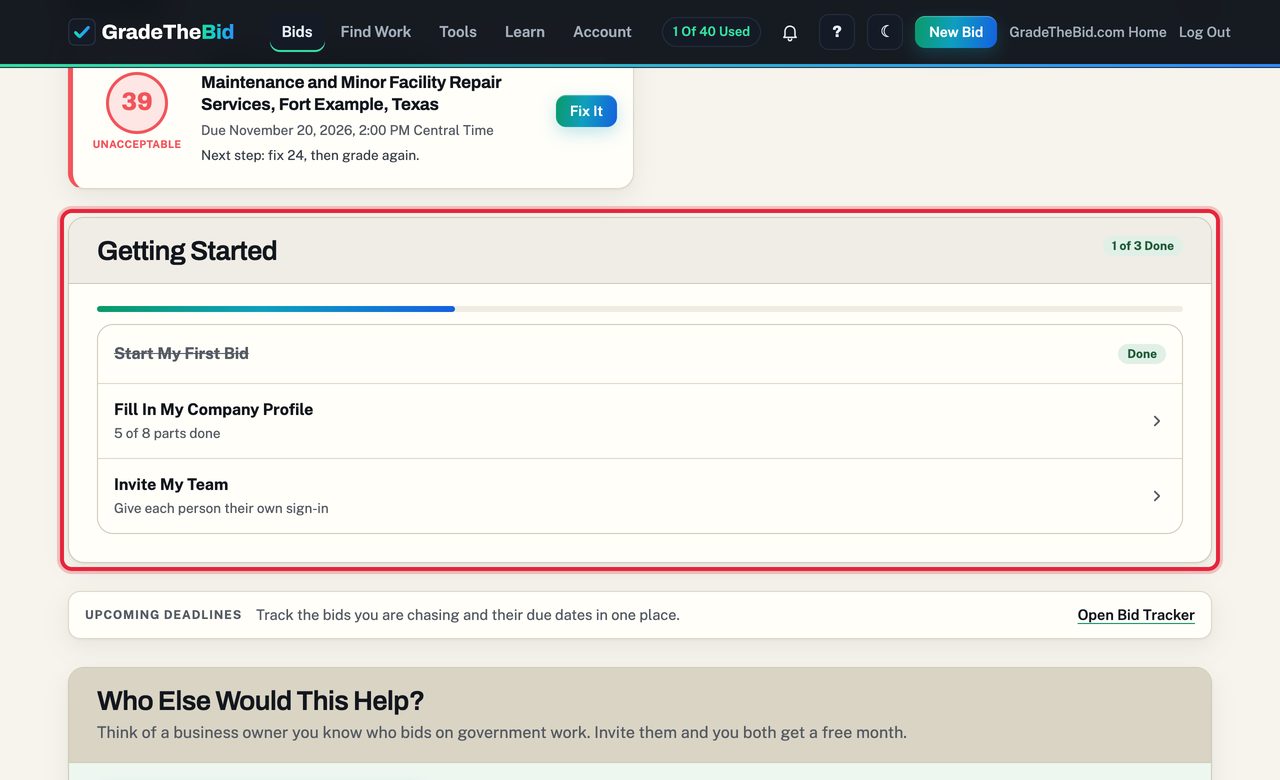
Step 1: Follow Getting Started
Your Bids page has a Getting Started list. It shows what is done and what is next.
Step 2: Fill In Your Company Profile
Every draft is written from your Company Profile. Do this first. The Company Profile lesson shows how, and we can fill most of it for you.
Step 3: Find A Bid
Open Find Work and look around. The Search Everything lesson shows you how.
Step 4: Start A Proposal
Press New Bid, or press Start A Proposal From This on a bid you found. The Start A Proposal lesson walks you through it.
Step 5: Read Your Grade And Fix It
You get a score out of 100 and a numbered Fix List. Fix, then grade again. The Grade And Fix List lesson shows how.
Step 6: Submit It Yourself
We never submit for you. You review every word, sign it, and send it to the buyer.
Stuck on any step? Press Ask For Help at the bottom of the screen.